Contents Jump to section
Passwordless journey with FIDO2 - Part 1 - Getting started with Security keys

UPDATED March 2026 -- This post has been reviewed and updated to reflect current Microsoft product names, portal locations, and technology status. See inline notes for specific changes.
Why Passwordless?
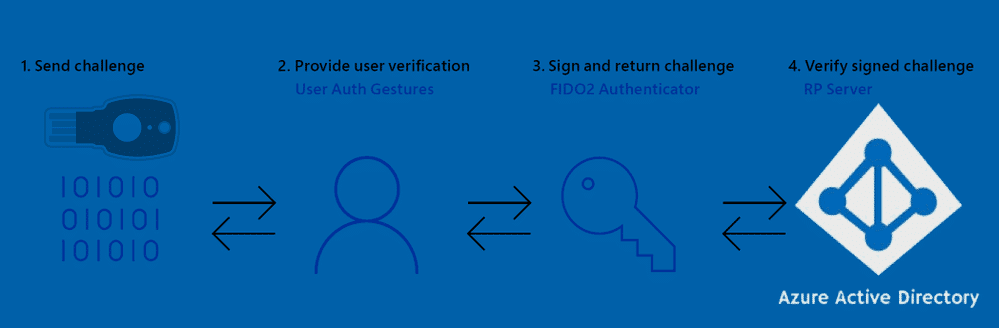
FIDO2, Multifactor Authentication, passwordless, Windows Hello for Business, Microsoft Authenticator, Security keys - these security buzzwords are taking the spotlight, and with good reason.

In a time of targeted ransomware attacks, a password alone is no longer enough. The benefits of going passwordless with FIDO2:
- No more shoulder surfing
- No more account hijacking
- No more forgotten password helpdesk requests
- No more password phishing
- No more password reuse
- No more typing "October2019#" several times a day
- No more passwords!
NOTE (Updated 2026): Since this post was written, the industry has converged on "passkeys" as the unified term for FIDO2-based phishing-resistant credentials. Passkeys encompass both hardware security keys (covered in this series) and device-bound or synced passkeys in apps like Microsoft Authenticator. For the current state of passkeys and Microsoft's MFA mandate, see the 2026 MFA update post.
If you're on the fence, check out Microsoft's whitepaper: Go Passwordless
The Requirements
- Microsoft Entra joined devices required for Windows 10 sign-in with FIDO2 (Hybrid-Joined support was in preview)
- Token must support specific FIDO2 CTAP protocol features
- FIDO2 Security key authentication enabled in your Tenant
- Combined security information registration enabled
- A browser that supports WebAuthN
- Windows 10 1809 or newer
NOTE (Updated 2026): The minimum Windows version requirement has been updated. Windows 10 version 1809 is no longer supported by Microsoft. The current minimum supported version for FIDO2 security key sign-in is Windows 10 21H2. Windows 11 is recommended.
For Hybrid-Joined or Microsoft Entra registered-only devices, passwordless is limited to websites via WebAuthN browser support.
The First Few Hurdles
Registering keys via the mysignins portal is simple after enabling the new registration experience, but watch out for:
- Proxy/firewall blocking Microsoft sites causing infinite reload loops
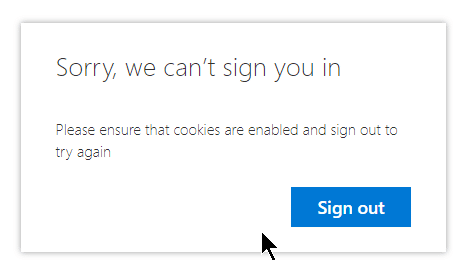
- Occasional "Sorry, we can't sign you in" glitch that resolves in seconds
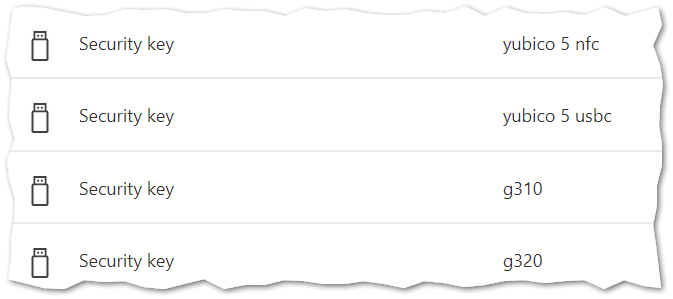
Once in, manage your security keys:
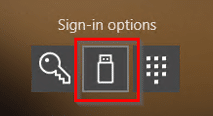
For Windows 10 sign-in, I had to refresh (re-install) my 1903 machine to get the FIDO security key option on the lock screen:
The Token Vendors
Microsoft partnered with Feitian Technologies, HID Global, and Yubico at launch. Others have since joined.
Yubico

- Swedish/US based, Microsoft partner at launch
- FIDO2 Certified (Level 1)
- Wide range of keys, international shipping
Yubikey 5 NFC (USB-A) and Yubikey 5C (USB-C):
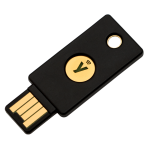
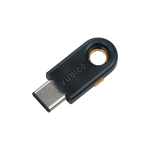
Full FIDO2 CTAP protocol support. The USB-C key is tiny - maybe too tiny. Durable and waterproof.
Features overview: Yubico YubiKey 5
eWBM

- Korean/US based, Microsoft Intelligent Security Association member
- Integrated biometrics
- FIDO2 Certified (Level 2) - world's first and only at time of writing
Goldengate Security Key G310 (USB-A) and G320 (USB-C):
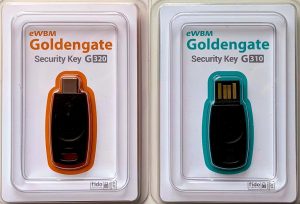
Endorsed by Microsoft, biometrics are fast, no NFC support. More durable than Yubikeys. Register multiple fingers but no finger index.
Features: eWBM Goldengate series
Solokeys

- US based, crowdfunded
- First open-source FIDO2 key
- Not really a passwordless key per their FAQ
- Not very robust - users will break them
Solo Tap USB-A (NFC):
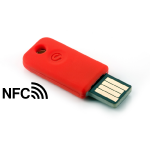
Not officially supported by Microsoft for Azure AD. Has a real push button and NFC (Android only).
The end of part 1
Next part: Passwordless journey with FIDO2 - Part 2 - Usage experiences